To start your program choose Wait For Application... on the Launch menu,
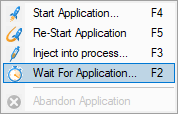
Keyboard shortcuts:

The Wait for process dialog allows you to specify a process that when it starts, VM Validator will attach to and start collecting debug events.
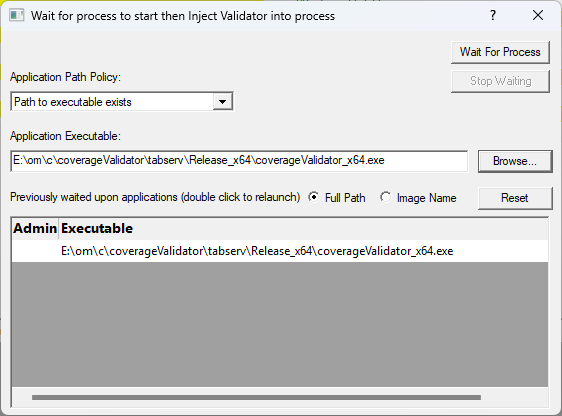
•Application Path Policy  specify if the application you're going to wait for exists on a specific path or it's going to be created dynamically (and the path will therefore be unknown)
•Application Executable type or Browse to set the application name to wait for
•Full path shows the full path to the process executable in the list
•Image Name shows the short program name without path
•Reset clears the list
•Wait for Process start waiting for the process to start. When the process starts VM Validator will attach to it and start collecting debug events.
•Stop Waiting stops waiting for the process to start