The Symbol Download Strategy settings when DLLs are downloaded from symbol servers and when symbols are downloaded from symbol servers.
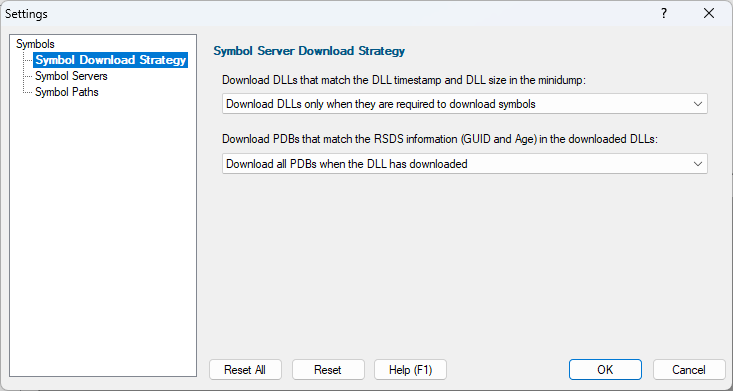
Downloading DLLs
Three options are provided for downloading DLLs.
•Do not download DLLs  DLLs will only be sourced from the computer
•Download all DLLs when a minidump is loaded the slowest, but most complete option
•Download DLLs only when they are required to download symbols minimum amount of time spent downloading DLLs from symbol servers
Downloading PDBs
Three options are provided for downloading PDBs.
•Do not download PDBs symbols will only be sourced from the computer
•Download all PDBs when the DLL has downloaded the slowest, but most complete option
•Download PDBs only when they are required to resolve a symbol minimum amount of time spent downloading from symbol servers
Reset - Resets all global settings, not just those on the current page. This includes removing any symbol servers added.