Bug Validator
Bug Validator provides automatic execution tracing of applications as they run.
3 Minute Video
Get to work in minutes
There is no need to recompile or relink your application.
Just launch your application from Bug Validator and start collecting data immediately.
Bug Validator uses your software’s debug information stored in PDB files and/or MAP files to perform the instrumentation of your software.
Working with a service or IIS/ISAPI?
You don’t need to modify your software unless you are writing a service or working with IIS.
If you’re working with a service or IIS there is a simple API you can use that you can “fit and forget”.
How Did I Get Here From There?
When your software crashes you want to know How did I get here from there?
Which variables were modified? Which functions were called? Did any exceptions get thrown? How many threads were involved? Was it just code in this DLL, or were multiple DLLs involved? All these questions and more will be answered in the execution trace.
Bug Validator allows you to perform execution tracing on your entire application, or on just the DLLs you require. You can also prevent DLLs, source code files, classes and methods from being instrumented.
The execution history of your application is recorded line-by-line as each section of code corresponding to each source code line is executed. When working with multi-threaded applications, you can see the context switches between each thread. If you get a bug of any kind, Bug Validator will have a log of all the lines executed up until the point of the crash, not just the callstack for the crash.
This makes Bug Validator an excellent tool for identifying otherwise hard-to-detect bugs and crashes. Combined with the companion software tool, Bug Validator Client, you can identify the causes of crashes at customer sites without compromising your symbolic debugging information.
Execution History
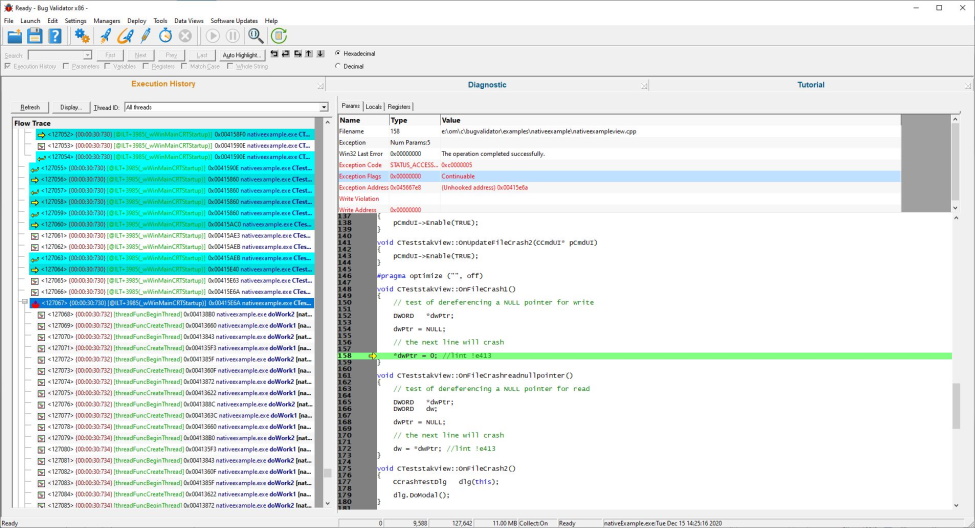
Every function, line, and exception recorded for each thread executing is shown here. If you want to see what path your program took before it crashed, this is the place to do that.
Each line in the display shows the thread ID, module name, address, filename, line number, and function name and offset from the function for each line of code executed.
Selecting a line displays the corresponding parameters, local variables, registers, exception data, and source code in the window at the right of the display.
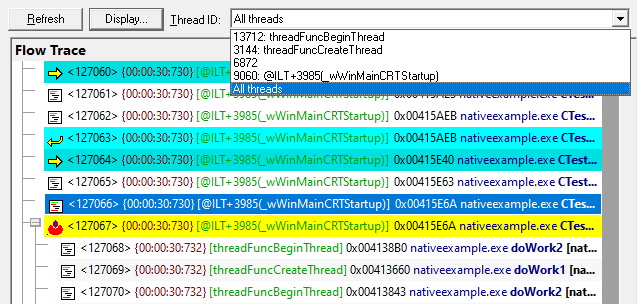
Thread Selection
View all threads at the same time, or just the thread you are interested in.
A thread selector allows you to choose which execution traces to view.
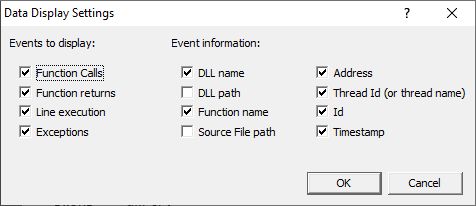
Display Detail
You can have the full-fat display with all the data displayed, or just trim the displayed data to the very particular items that you’re interested in.
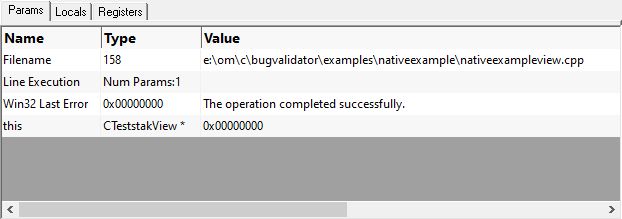
Parameters
Each line displays the parameters to pass to the function in the parameters tab.
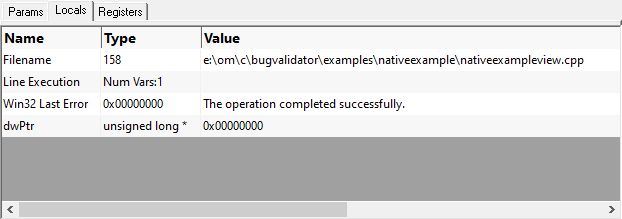
Local Variables
Each line displays the local variables in the locals tab.
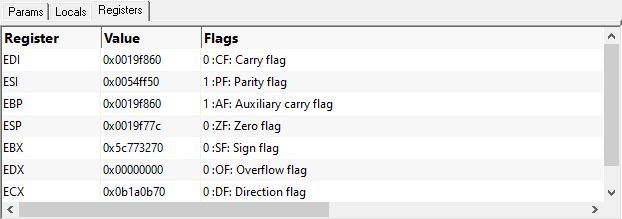
Registers
Each line displays the register values in the registers tab.
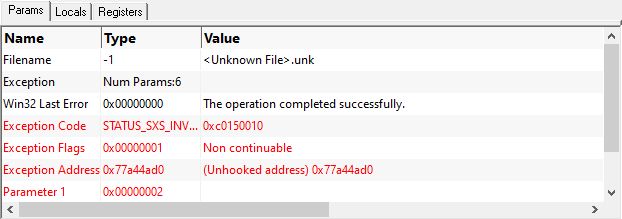
Exceptions
If your program throws an exception, when you select the exception event the exception data is shown on the params tab.
Digging yourself out of a hole
Instrumenting software doesn’t always proceed as planned:
- Debugging information may be missing. Or it may be present, but for a different build of the software, making it unusable.
- The software may not be running on the account you think it is.
- Environment variables may not be set the way they need to be.
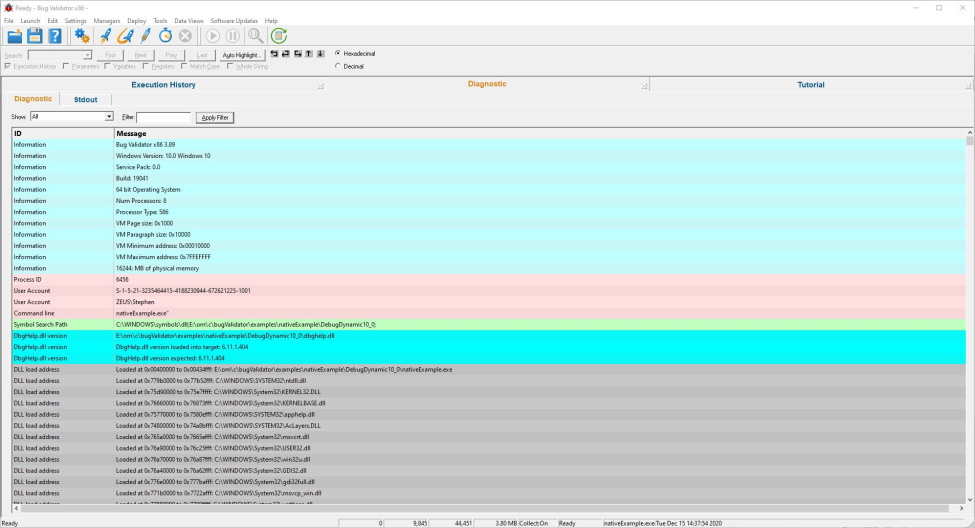
To deal with such situations we log a lot of data to the diagnostic tab so that you can inspect the data to understand what happened if something isn’t working.
The diagnostic tab is the place to examine when things aren’t working as you expect.
Diagnostic
The diagnostic tab reports:
- Windows operating system details.
- User account details – so that you know the target program is running under the account you think it is.
- Start of target program instrumentation, command line and DbgHelp version status.
- Loading and unloading of DLLs.
- Additional information about DLL loading (delay loaded DLLs, etc).
- Symbol search paths queried for symbols. Success and failure of symbol loading.
- Instrumentation success and failure for given functions/DLLs.
- Failure of helper programs assisting Bug Validator.
- Other miscellaneous errors.
Bug Validator Feature List
- Thread ID
- Module (DLL/EXE)
- Address
- Source code file and line number
- Function parameter values
- Function return values
- Local variable values
- CPU registers
- Exception information
- Function name and offset from function start
- Coverage statistics updated as the application executes
- Ability to sort the data for display
- Ability to show execution history for one thread or all threads, showing thread context switches
- Colour coded display for at-a-glance detection thread context switching
- Source code display with line highlighting for examining source code in-situ
- Execution history view. Shows execution history on a line by line basis
- Diagnostic messages. For detecting unforseen errors in the instrumentation. If things are not behaving as you expect, the answer may be here
- Use Bug Validator to create KVI files to allow Bug Validator Client to be used at customer sites without the need for PDB or MAP files. KVI files contained encoded filename and symbol information that cannot be decoded without KVK files (which you do not supply to the customer)
- Use Bug Validator Client to collect data at customer sites without the customer being given PDB or MAP files containing debugging symbols
- Analyse data collected with Bug Validtor Client using Bug Validator
- Protects your intellectual property by keeping your symbolic debugging information in your development labs, even whilst collecting data about crashes at remote sites
- Easy to use deployment wizard to create KVI files to send to your customer
- Bug Validator Client is free. You do not need to purchase Bug Validator Client to use it at your customer sites (unlike competing products). You only need to purchase Bug Validator
- Find function query
- Start by launching a process and injecting into that process at startup
- Start by injecting into running process
- Start by waiting for a process to start and injecting into that process at startup
- Monitor a service
- Monitor IIS and ISAPI
- Execution History Data can be exported to HTML
- Execution History Data can be exported to XML
- Instrumentation is fast, a few seconds, not tens of minutes
- If working with a service or IIS/ISAPI you will need to use the Bug Validator NT Service API
- No need to rebuild or relink your application. Simply requires PDB and/or MAP files for each module (DLL/EXE) in the application
- Works with the following compilers and technologies:
- Microsoft Visual Studio 2026, 2022, 2019, 2017, 2015, 2013, 2012, 2010, 2008, 2005, .net 2003, .net 2002, 6.0
- Mixed mode applications: native code only
- Microsoft Visual C++
- Microsoft Visual Basic 6
- Intel Performance C++ compiler
- Contact us if your compiler is not listed
- Very configurable, almost all options are configurable by the user. Includes an option to reset to the default settings
- Microsoft Windows 11 64 (32 bit applications only)
- Microsoft Windows 10 64 (32 bit applications only)
- Microsoft Windows 8 64 (32 bit applications only)
- Microsoft Windows 7 64 (32 bit applications only)
- Microsoft Windows Vista 64 (32 bit applications only)
- Microsoft Windows XP 64 (32 bit applications only)
- Microsoft Windows 11
- Microsoft Windows 10
- Microsoft Windows 8
- Microsoft Windows 7
- Microsoft Windows Vista
- Microsoft Windows Server 2012
- Microsoft Windows Server 2008
- Microsoft Windows Server 2003
- Microsoft Windows XP
If you need support for older Windows operating systems (for example you may be using Windows 2000 Embedded) we can provide special builds for these operating systems. Please contact us for details.
- Microsoft Windows 2000
- Microsoft Windows NT 4
Bug Validator Public Beta
Bug Validator runs on Windows 11 through Windows XP. Bug Validator is currently in beta testing. We welcome comments from the public software community about Bug Validator.
Developers accepted to the Bug Validator beta programme will receive the following benefit:
Developers that submit valid bug reports, feedback and/or feature requests that make it into the product will receive a 50% discount from the full product price.
Developers that we feel have contributed more to the bug report and feedback process will receive free licenses for the software. This will be at the sole discretion of Software Verify.
Not all applicants will be accepted, we wish to keep the number of users restricted to developers that will actively use the software tool, rather than people that are curious about such technology. We feel that the former group will give more relevant feedback on Bug Validator’s feature set and product benefits.
The more information you provide about your company and the software development work you perform the better we will be able to assess your application to join the beta programme. Anonymous beta applications will be rejected.
If you would like to test Bug Validator please contact support@softwareverify.com.